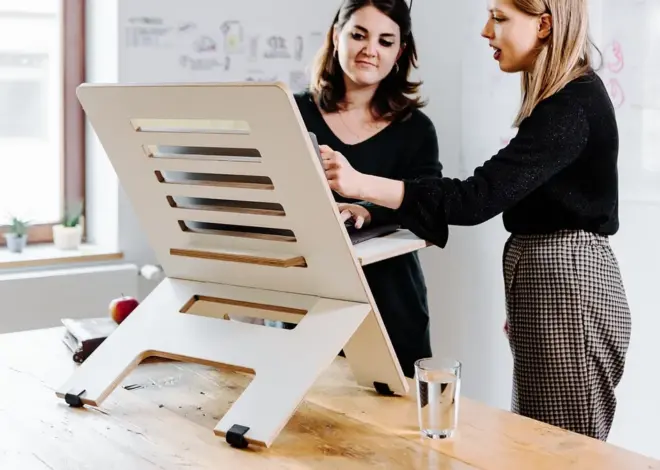
Clamp-On vs. Desktop Standing Desk Converter Mounting
Most standing desk converters sold today — including models from VersaDesk, FlexiSpot, Mount-It, Uncaged Ergonomics and Eureka Ergonomic — are freestanding (desktop) units that simply rest on your desk’s surface. Clamp-on mounts attach to the desk’s edge instead, saving desktop footprint but only working on desks with compatible edges.
By deskconverterguide.com Editorial Team · Last updated: November 13, 2026
Key takeaways
- Freestanding (desktop) converters rest on the desk using their own base weight, often with non-slip pads; no drilling or clamping is required.
- Clamp-on mounts attach to the desk’s edge, which can free up desktop space but only works if the desk’s edge thickness, bevel, and underside clearance are compatible.
- Every manufacturer model checked for this guide — VersaDesk, FlexiSpot, Mount-It, Uncaged Ergonomics, and Eureka Ergonomic — is a freestanding desktop converter, not a clamp-mounted one.
- Before considering a clamp-mount product, check rear clearance, edge bevel, desktop material, and any obstructions underneath, such as drawers or cross-bars.
- Mounting type interacts with the base-depth-to-desk-depth stability guideline: freestanding converters depend on it, while clamp mounts largely bypass it.
What’s the difference between clamp-on and freestanding (desktop) converters?
A freestanding, or desktop, converter is a self-contained unit that sits on top of your desk. It holds its position through its own base weight, footprint, and (usually) non-slip rubber feet. You can pick it up and move it to a different desk without any tools. Every model covered in our research for this cluster — the VersaDesk PowerPro, FlexiSpot AlcoveRiser M7, Mount-It MI-7962 and MI-7927E, Uncaged Ergonomics CHANGEdesk, and the Eureka Ergonomic 36-inch converter — is this freestanding type.
A clamp-on converter instead attaches to the back or side edge of the desk using a bracket or clamp mechanism, similar in concept to how a clamp-style monitor arm attaches. This frees up more of the desktop surface for other uses, but it depends entirely on your specific desk’s edge being compatible with the clamp.
Many search results that come up for “clamp vs. desk converter mounting” are actually comparing clamp mounts for monitor arms, not for the full converter platform. Keep the distinction in mind when you’re researching specific products: a clamp-mounted monitor arm is a different purchase from a clamp-mounted standing desk converter.
Desk-compatibility checklist before choosing a clamp mount
Run through this list before buying any clamp-mounted converter, since a mismatch here is the most common reason a clamp mount fails to install or hold securely:
- Edge clearance behind the desk. Is there room for a clamp bracket and the converter’s rear footprint without hitting a wall, shelf, or outlet?
- Edge bevel or radius. A rounded, beveled, or unusually thick desk edge may not grip properly in a clamp opening designed for a plain square edge.
- Underside obstructions. Drawers, pencil trays, support crossbars, or cable management trays can block a clamp bracket from reaching the desk edge at all.
- Tabletop material. Particleboard, glass, or very thin tabletops may not handle sustained clamp pressure as well as solid wood or reinforced engineered wood. Check the specific clamp product’s material guidance before mounting.
- Desk stability itself. Clamping to a lightweight or already-wobbly desk transfers that instability straight to the converter. A desk that rocks under hand pressure is a poor clamp-mount candidate no matter which converter you choose.
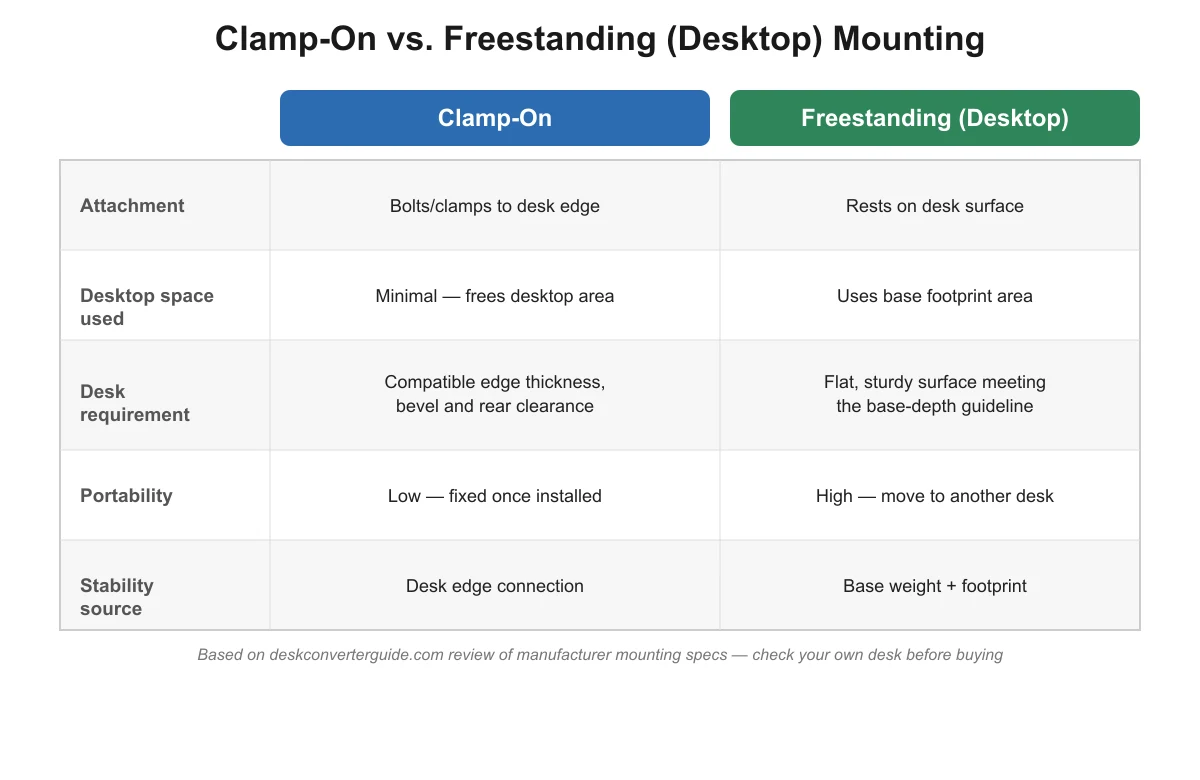
Clamp-on vs. freestanding: side-by-side comparison
| Factor | Clamp-on | Freestanding (desktop) |
|---|---|---|
| Attachment | Bolts or clamps to the desk edge | Rests on the desk surface |
| Desktop space used | Minimal — frees desktop area | Uses the base’s full footprint |
| Desk requirement | Compatible edge thickness, bevel and rear clearance | Flat, sturdy surface meeting the base-depth guideline |
| Portability | Low — fixed once installed | High — move it to another desk anytime |
| Stability source | Desk edge connection and clamp tightness | Base weight and footprint on the desk |

Freestanding standing desk converters: example specs
For context, here is the base footprint of the freestanding models referenced throughout this guide:
| Model | Base footprint | Weight capacity | Mechanism |
|---|---|---|---|
| FlexiSpot AlcoveRiser M7 | 28.3″ W x 16.3″ D | 37.4 lbs combined | Gas spring |
| Eureka Ergonomic 36″ converter | 36″ W, 22″ overall depth | 35 lbs (30 display + 5 tray) | Gas cylinder |
| Mount-It MI-7927E | 35.4″ W x 23.22″ D | 44 lbs combined | Electric |
| Mount-It MI-7962 | 48.5″ W x 23.25″ D | 44 lbs combined | Electric |
| VersaDesk PowerPro | 36″ W x 24″ D | 80 lbs | Electric |
| Uncaged Ergonomics CHANGEdesk | 18″ W x 25.25″ D | 30 lbs | Gas-spring, fixed positions |
When should I choose clamp-on vs. desktop mounting?
A freestanding desktop converter is the better default for most buyers. It requires no desk modification, it’s portable between desks or jobs, and it works on almost any flat, sturdy surface that meets the base-depth guideline described in our small-desk depth guide.
A clamp-on mount makes more sense when desktop space is extremely limited and you’ve confirmed your desk’s edge, thickness, and underside clearance are compatible. Expect an added installation step and less flexibility if you later want to rearrange your workspace or switch desks.
Installation effort is also worth weighing. Setting up a freestanding converter is usually just a matter of unboxing it and placing it on the desk, since there’s nothing to attach to the desk itself. A clamp-on mount adds an assembly step: fitting the bracket to your specific desk edge, checking it grips securely before loading the platform, and in some cases drilling or using included hardware. If you expect to move the converter between desks or take it with you if you relocate, that reinstallation step happens every time, which is a real ongoing cost of the clamp-on approach beyond the one-time setup.
Does mounting type affect wobble and stability?
Yes, but in different ways. Freestanding converters rely on their own base footprint and the depth-ratio guideline from our small-desk depth guide to resist front-to-back rock. Clamp mounts transfer load to the desk edge directly, so stability instead depends on how securely the clamp is tightened and whether the desk structure can handle that point load at the edge.
Either mounting style can wobble if fasteners work loose over time. See our wobble troubleshooting guide for a tightening and testing checklist that applies to both mounting types.
For the full picture of what to check before buying any converter — weight capacity, mechanism, and sizing in addition to mounting — see our standing desk converter buying guide.

Frequently asked questions
Are most standing desk converters clamp-on or freestanding?
Freestanding. Every model checked for this guide — from VersaDesk, FlexiSpot, Mount-It, Uncaged Ergonomics and Eureka Ergonomic — rests on top of the desk rather than clamping to its edge. Clamp-mounted converters exist but are a smaller, less common product category.
Can I clamp a converter to a glass or very thin desktop?
Check the specific clamp product’s material guidance first. Glass, thin particleboard, or unusually thick desktops are common compatibility failures for clamp mounts, because the clamp needs a consistent, gripable edge thickness to hold securely.
Does a clamp-on converter still need the base-depth ratio rule?
Less so. The base-depth-to-desk-depth guideline in our small-desk depth guide mainly applies to freestanding converters, which rely on their footprint for stability. A properly installed clamp mount transfers support to the desk edge instead, though a loose clamp can still cause wobble.
What’s the biggest downside of clamp mounting?
Reduced flexibility. Once a clamp mount is tightened to a specific desk edge, it’s less portable than a freestanding converter, and it depends entirely on that desk’s edge thickness, bevel, and underside clearance being compatible — factors a freestanding converter doesn’t need to worry about.
Sources